Any suggestions of where to stash a remaining AirTag? I’ve got one in all the usual bags, keys, wallet and car. Struggling to know where else I can use it.
Put it with your moneygo. As in; “Where the f**k did my moneygo?” - sorted.
This flag  makes the post look far worse than it actually was…
9 Likes
Keep it clean David, keep it clean
1 Like
The Mary Whitehouse Filter™ still in full effect I see 
2 Likes
I think that we’re seeing it less often, though.
Ha, well I’ve only really started posting again here over the last couple of days. So had wondered if perhaps the puritan dial had been turned down a notch maybe.
1 Like
Welcome back, doctor  Still doing a lot of lab work?
1 Like
I had to defrost my 3-4 year old frost free freezer recently. I suspect a sensor isn’t working properly but I haven’t gotten round to getting it serviced yet.
Maybe in an inner bag such as a laptop sleeve or other expensive item, that’s what I do.
Headphones case.
Jetwash / lawnmower or other garden device that’s likely to get nicked.
1 Like
I’m rather tired after a long day. That’s my excuse for reading that as “Jewish lawnmower”, anyway.
1 Like
I’ve been forced to embrace the fact that I’m too old for the barber - it was getting to the stage where I needed to go weekly - and bought a skull shaver. Not sure if that counts as “tech” but it keeps me looking resoectable if I use it 3 times a week.
It’s so good that I was tempted into buying a wet/dry electric shaver too as I can’t be bothered with blades every day. It’s very nice and very high tech (compared to the one I had in the 1980s), multicoloured lights to tell me if I’m pressing too hard and app connected. All quite unnecessary but I do enjoy a new toy, and I avoided paying £699 for it which is ludicrous. It keeps me looking a bit more kempt on camera or in the office, and I can still use a blade if I want a proper shave.
2 Likes
I bought some Wahl professional rechargeable hair clippers during the first lockdown on offer for £99. They’ve saved me a fortune on monthly visits to the barber for a number 1 
1 Like
I used to have a 1. Then as I got thinner on top, 1/2, then no guard… finally they were using a shaver on my head so I figured I might as well do it myself.
Unfortunately I have a diamond shaped patch on the back of my head that’s still thicker and darker than the rest of it so if I don’t keep it down I look like a badger from the back 

2 Likes
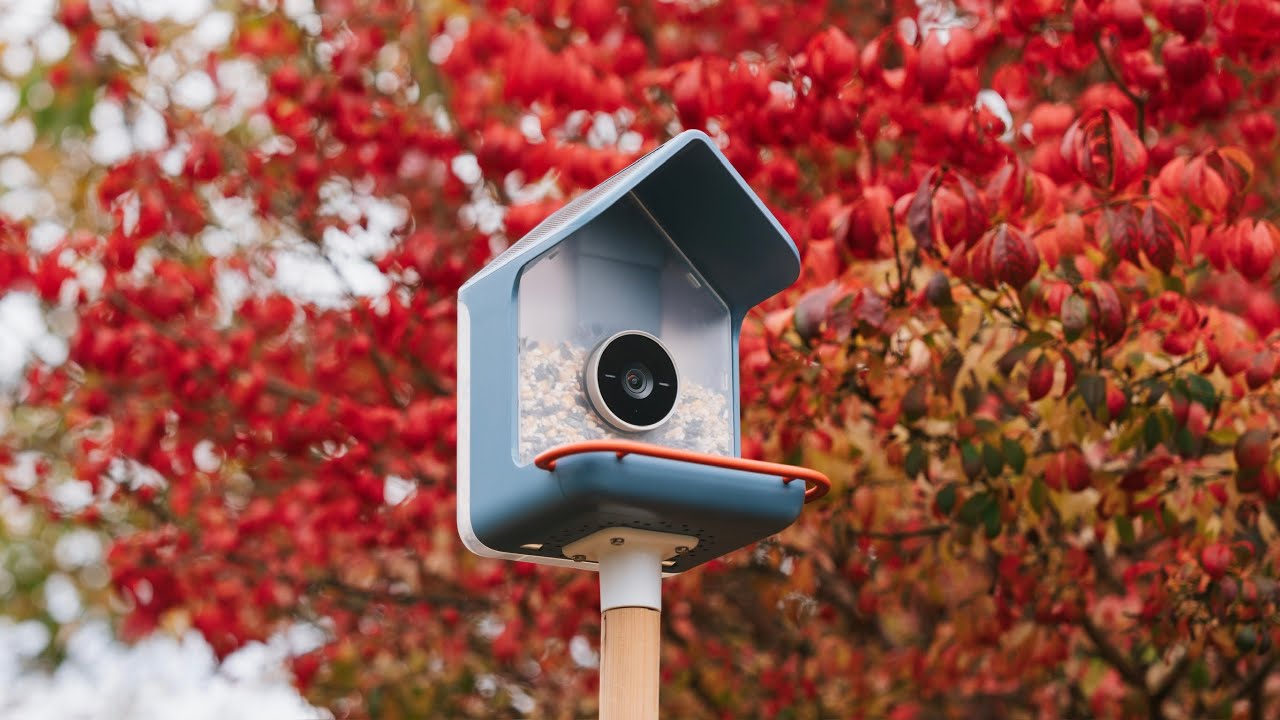
Anyone got one of these? Thinking of getting one as a Christmas present
I used the Skull Shaver but then switched over to Manscaped and use that.
What shaver connects with an app?
Never seen that before. Looks cool, but can’t find that online for sale in the UK. Looks like the first version is but it’s £249.
This one… I got it when the price dropped. Philips Shaver i9000 Prestige Ultra, Wet & Dry Electric Shaver, Adriatic, Skin IQ Pro Technology, Triple Lift & Cut System, 360 Rotating NanoTech Precision Blades, 5 Shaving Modes, Model XP9401/38 : Amazon.co.uk: Health & Personal Care
1 Like
I like the look of this for a small easily transportable shaver.
1 Like
You have more important things to buy. Such as a tandem oled.
2 Likes