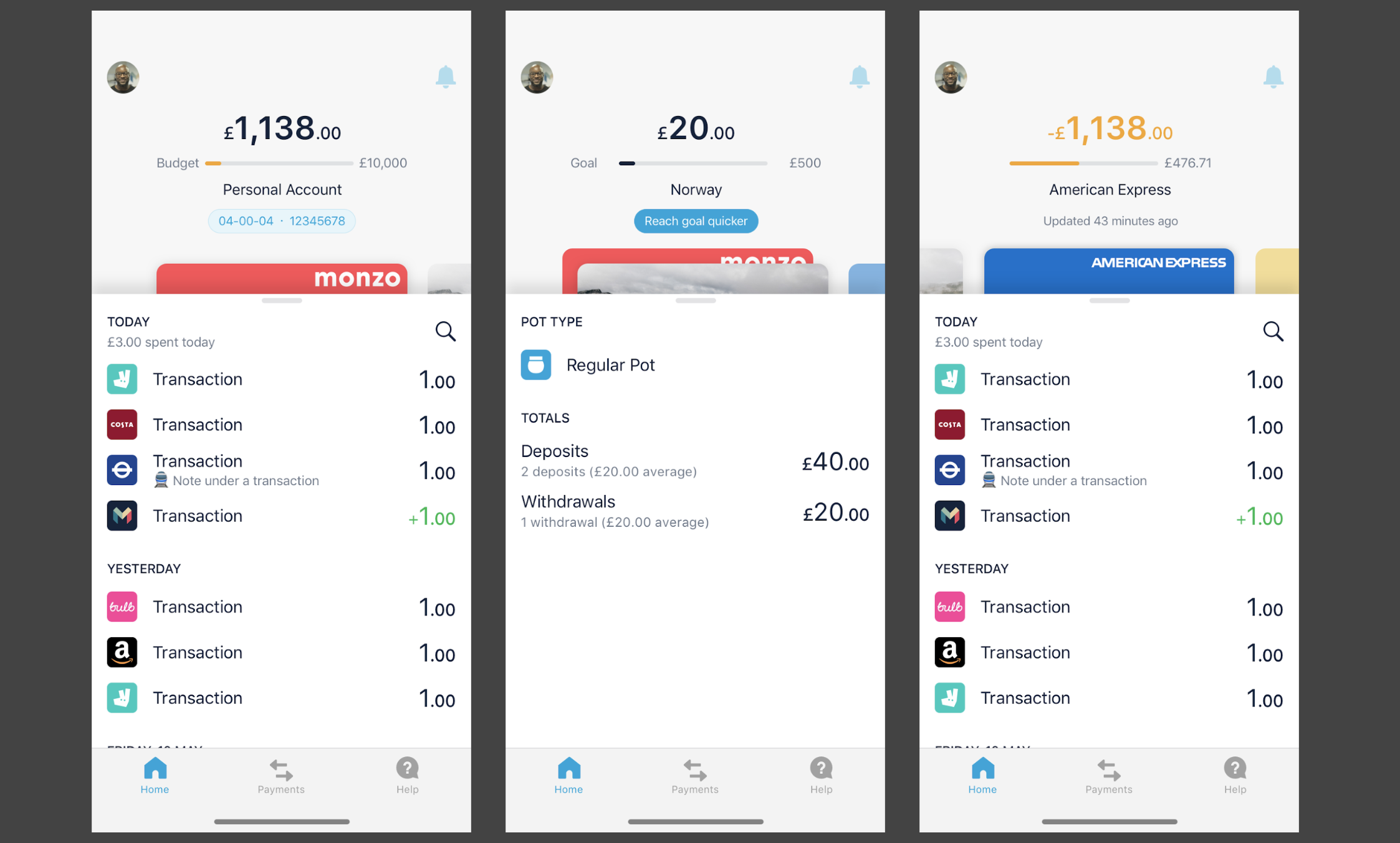
I still have no idea where to find my full balance across all pots and main balance. It’s not under the View All button, or when I swipe down to view my card Am I being stupid?
The other thing that’s missing is being able to retry DDs, I’ve relaly needed this a few times recently. I move money out of pots to pay them and if I forget to do it before 2am, I have to hope I’ve done it properly before 2pm, otherwise I miss out on them being paid completely.
No, but that would be perfect. I thought someone posted a similar screenshot in another thread showing the same for iOS but I definitely don’t have it so either it’s not visible to everyone, or I imagined it.
On the 20th, yesterday a scheduled payment was made into a pot. It showed zero later in the day. Contacted support and they asked for a screenshot. The full amount appeared a little while later, ( though I did not get a reply via chat) today it has gone to zero again. I’m getting worried about the whole app now…
It might be just a pretty skin but what if I needed that money immediately? I can’t transfer it because it says zero. I might just do that. It’s pretty fundamental…
Some parts of the app are still not updating when they should. But if you switch tabs it should update correctly. This is all part of trying parts of the app that are still in development.
We’re only making changes to the UI, the way your money is handled in the backend hasn’t changed. Your money is safe.
If the new navigation is not working well for you, feel free to ask customer support to opt you out (or DM me your email address and I’ll do it). Then you’ll only get this layout once we roll it out to everyone in the coming months.
That feels too detached to me, it’s one of the things that has caught me out before as it’s not immediately obvious sometimes that the balance has changed to reference an older date in time.
If the number changes, then some kind of indication would be good.
To add some weight to a daily summary - I often find that I give myself a daily quota, especially at the end of the month I instinctively take the remaining balance and divide by the number of days left. Being able to see that daily calculation would be great for me.
I can’t help but feel like we are trying to split accounts and pots up unnaturally.
Personally I would like the concept of a zoomed out view (L1) as the Home screen/tab (currently ‘view all’) and then a zoomed in view of the account/card/pot that you want to see. You could then easily have the option of a particular account to be the default. You can also have the swipe left/right on the zoomed in view for details of the same category. (If you are zoomed in (L2) on a pot then you can swipe left/right through pots)
If you want to see another account/card/pot then go back to home (L1).
This would work much better when you have the concept of multiple current accounts being displayed (sole/joint/open banking connected).
 Am I being stupid?


 I really liked this mockup thanks for sharing
 It’s all about creating new app surfaces.