I agree, it needs the unread filter. Other than that its very pretty
2 Likes
The Monzo theme looks nice but it’s unusable in dark mode.
The box to reply is white with white text, lots of other text is black on a dark background so there is loads that’s completely unreadable.
1 Like
Also if I have the default theme the homepage is much better as it doesn’t have those massive boxes at the top wasting space
3 Likes
Also what’s going on with the logos, seem to get a different one depending which page I’m on. The new logo is way too big when using the default theme (at least on mobile)
1 Like
Switched on dark mode again and it’s stuck. All I get now is the forum, in desktop and mobile. Lovely stuff.
1 Like
I actually just want the default theme but with Monzo font and colours.
Just leave it at that. No more changes required!
4 Likes
Me too, I did like the colour scheme, but the lack of the unread notifications was off-putting
1 Like
Same. New Monzo theme with unread option please 
Then if possible, remove the welcome section from New, unread and top pages. So it’s just on the homepage
1 Like
How do you change the theme? Can’t locate that option.
Click on your profile picture, then the last symbol on the left (Profile), Preferences, then Interface
Ah. Don’t appear to have that option.
1 Like

You can (sort of) get back to ‘unread’ - on the ‘Monzo’ theme at least - by setting the ‘Default Home Page’ in Preferences/interface to ‘Unread’:

With that set, it shows ONLY the unread posts as they happen. Once you’ve read them, it ‘clears’ and then gives you the option to ‘Browse the latest topics’. A very nice workflow.
Now if only we could get rid of, or minimize, the HUGE ‘Welcome to…’ header, it’s be 
(sub-comment - why do we need an extensive search bar on the HUGE ‘Welcome to…’ header when there’s already a magnifying glass search icon in the actual top header?)
Good workaround, will try it.
I don’t like the huge banners at the top either. I can get rid of it on iOS but not on my work computer.
I briefly saw dark mode on the new Monzo theme earlier. I think @AlanDoe is exploring some options 
1 Like
There’s definately work going on…
Here’s a browser combo:

With the same combo on mobile:

But the browser editor in this mode is unusable - you can’t see what you’re typing. Thank goodness the right-hand-side preview is there to see what you’re typing!

1 Like
What we can at least ascertain from this is that @Carlo1460 ‘s fingers must be sore…
3 Likes
Argh I still have issues with the Monzo theme. It’s better now I have unread as an option but if I have read everything and click to see all the topics, as soon as I scroll down even a little bit the contributor boxes take over and then I can’t get any topics without reloading the site.
Unread? Looks fine:
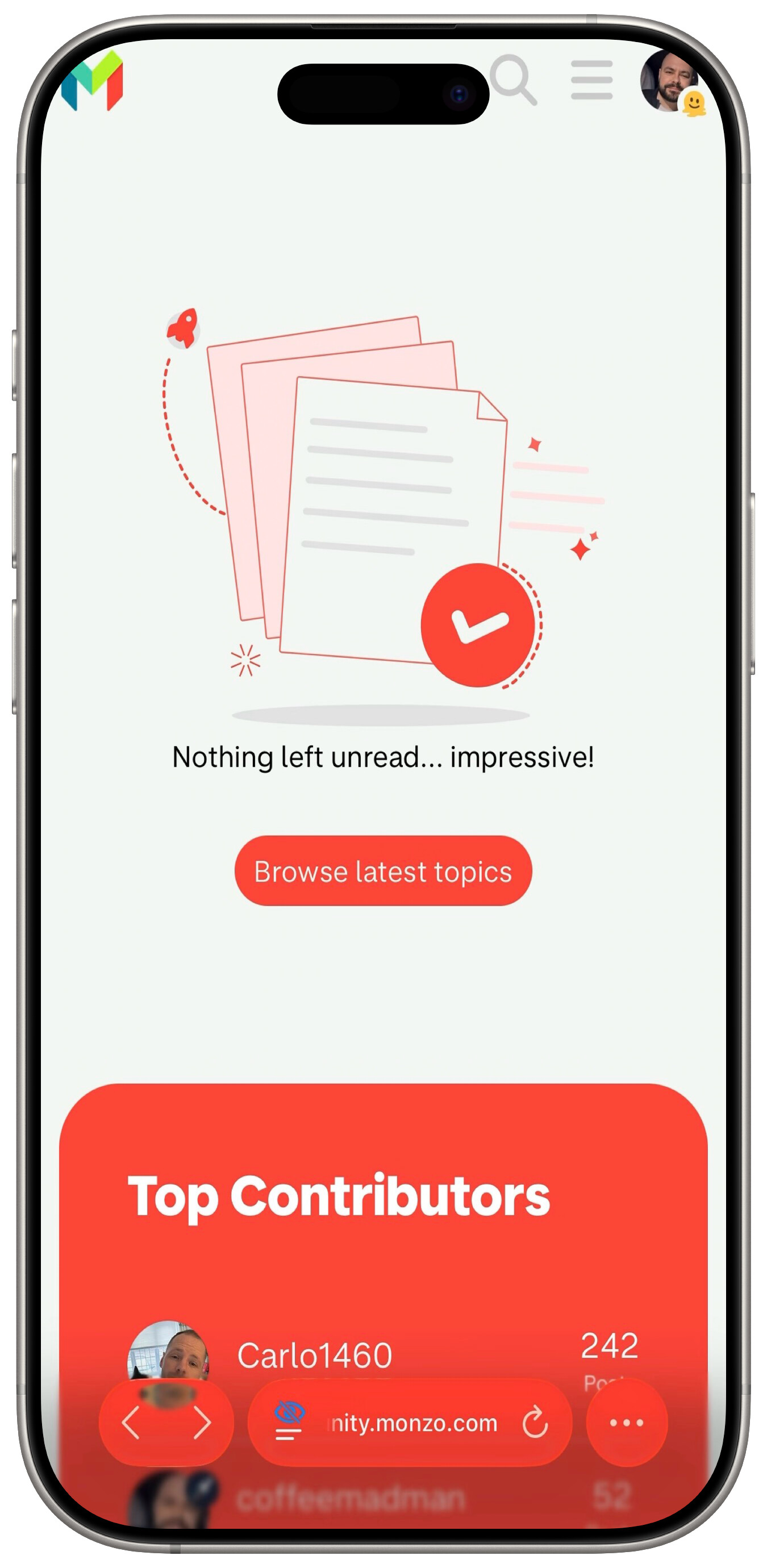
So I want to view more topics, sure:

One slight scroll down though and I’m stuck and nothing but the contributors shows:

Pressing “Show more” does nothing either. Just gets rid of the button saying “Show more”.
I don’t have this option, has it been switched off again?