I got the same thing today when I was about to pay into my Marcus savings account. It scared me enough to test with a small amount of money before sending the full amount. Interestingly when I tried with the small amount, I didn’t get the warning, so there’s obviously a threshold set before you receive the warning. Anyway, seems like it needs to be ironed out.
2 Likes
I don’t think that is how it is meant to work, that is an interesting bug or maybe something Monzo have decided to do themselves
An understanding that if you’re sending a small amount (£1?) then you’re probably doing your own kind of confirmation check, as it were?
A very logical decision, though I am curious, if they have set it, how small it will be.
It was £1 I tried transferring as a test. I’ve got to do the transfer again tomorrow, so I’ll try some different values, and see what the threshold is.
1 Like
Thanks, will be interesting to see, I would guess £10 maybe
With my main bank (not Monzo) I have always carried out a test £1 payment to ensure I had input the SCN & account no. correctly. On subsequently paying the larger remainder amount my actions often flagged the bank’s Fraud Dept. to investigate what they thought could be a fraud or similar.
I also got this flag when transferring to Saxo Capital markets.
The flag also comes up again which is kind of annoying you have been successfully transferring to the same account a few times.
I got a similar warning when trying to make a payment to Three for my mobile bill. I think it’s because the name doesn’t match exactly with what it was expecting - in my case because I had put Three as the payee name instead of H3G.
As others have said, it’s because of the new rules around account checking. As long as you’re sure the details are correct then I’d ignore it.
Hey everyone, this is new feature we’re building to protect customers from scams. We’re still in the process of fine tuning the decision engine for this, our false positive rates are pretty low, but there’s still some low hanging fruit for us to get. Well known account numbers and sort codes are one of them.
We’ve actually rolled out two linked, but very distinct things at the same thing. One is Confirmation of Payee where you’ll get warnings like this:
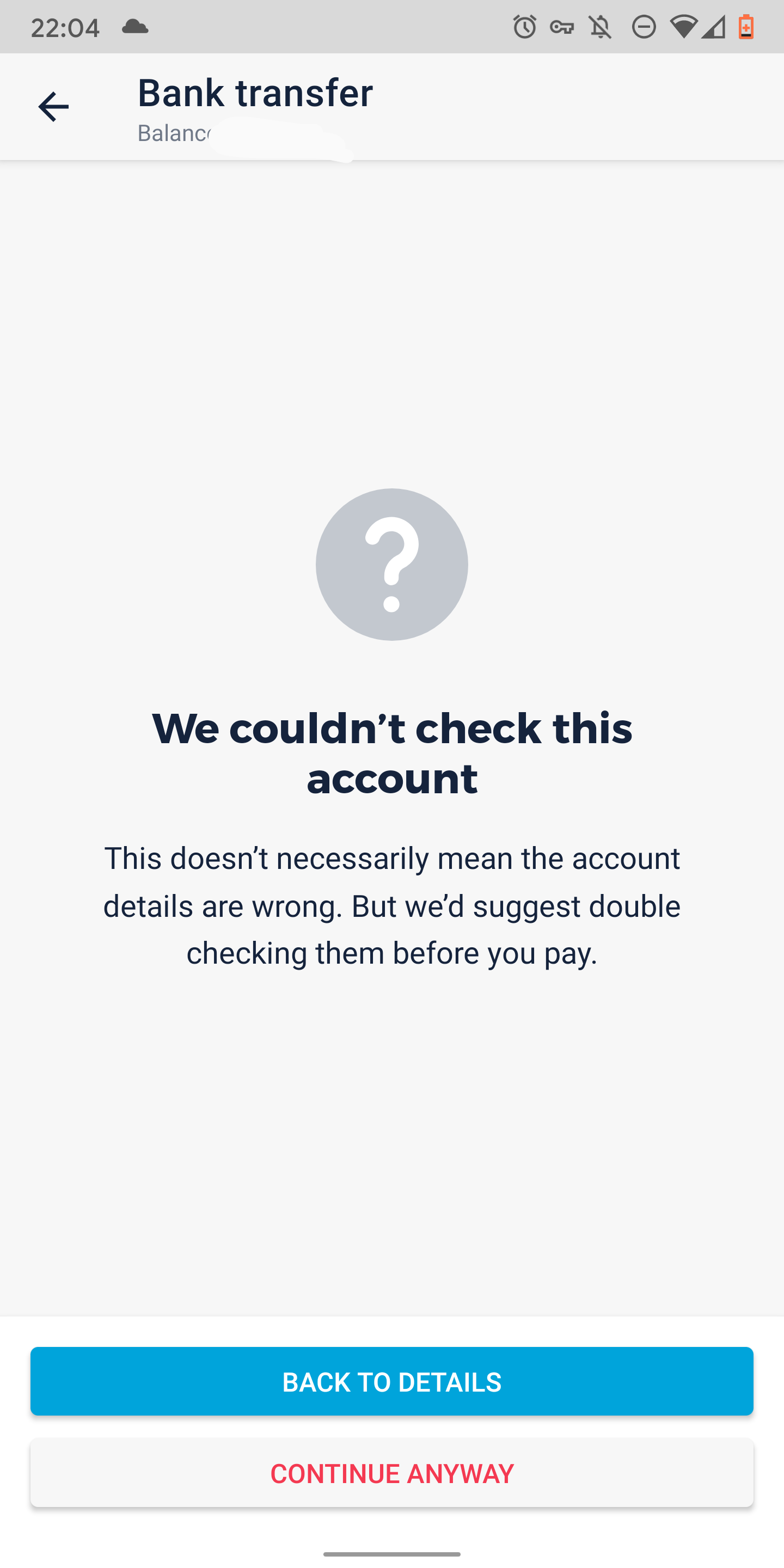
Confirmation of Payee rules prevent us from hiding those screen for well known account numbers and sort codes. It’s up to the receiving bank to provide the correct details to their customers and send us a proper response. It seems lots of banks are still in the process of updating their systems for credit card payments etc. Confirmation of Payee is still a pretty new thing.
The second system we’ve rolled out is a set of specific warning that we display if we believe a payment you’re about to make could be a scam, and look like this:

We use lots different bits of data to figure this out, and I’m not going to go into the details of how that works for obvious reasons. Most people should never see these warning unless they’re actually about to be scammed, but as I said above, we’re in the process of tuning and tweaking this system.
9 Likes
Okay so I was getting this too for all my existing payees but I noticed that if you have accounts saved under a contact like I do then when you try to pay them, the recipient name is using the contacts name not the name of the account you setup.
So for example I have a Stu contact with three credit card accounts setup as payees. If I tap on [NAME] Credit Card to pay them, the recipient name is set to Stu not [NAME] Credit Card and this causes the app to flag the payment as suspicious. If I then type in [NAME] Credit Card it seems to be fine as it’s obviously looking for the correct [NAME] as verification.
Annoyingly though, it doesn’t actually remember the change so you have to type it in every time 
1 Like
@Monzo should redact the account details from this post.
A couple of posts down from the original one it explains why that isn’t necessary.
4 Likes
@ordog Although public domain it’s good security practice not to quote ANY SCNs & a/c numbers. It therefore creates a precedent for all so that no one in the future quotes more sensitive information that could be seen by a scammer.
This topic was automatically closed 180 days after the last reply. New replies are no longer allowed.