Not sure if said above, I think targets is OK but would like a toggle so it automatically tells me how much is ‘left to spend’ after bills etc.
1 Like
Yeah this was my issue. Say over a few days we do a food shop, get coffee, have a meal and pay for a taxi it all goes on the tab. Each item will be a different category and potentially be added by a different person.
When the tab is settled either I get 1 transaction out or into my account depending on who ended up owing more. The single transaction can only be assigned to one category, and even if it could be many it wouldn’t be accurate because it would still be a single number.
3 Likes
I can’t think how to solve the issue without being able to click into the main transaction and edit it.
Though what about if you split the main transaction so 50% was the right category and 50% was a transfer, and therefore only your half would show in trends? Thinking out loud…
1 Like
For me personally I’d like to see each item on the tab be deducted or credited to that category, rather than one eventual payment.
I suppose my root problem seeing a list of categories in trends, spending and targets and knowing I didn’t actually ‘spend’ that full amount because I actually got half the money back, but it isn’t traceable or linked.
1 Like
This is exactly the reason I want Monzo to incorporate Pots (/Savings Goals / Envelopes) better into the Trends/Budgeting bit - because it better allows you to accrue money for exactly these purposes.
Imagine a flow where you have a goal set in your Budget to fill your Christmas pot by £50 a month until Christmas, and when Christmas Comes you spend £500 of your £600 saved - the Budget auto knows that you’re actually under budget, and get a postiive dopamine loop for spending less than you accrued, rather than a Bad Mark For Crossing The Green Line
5 Likes
So it’s only been reading the last few messages that I’ve realised that I’ve been holding it wrong.
I’ve been setting my target for total expenditure (bills and discretionary spend) whereas I think this is just intended to track discretionary spend (?) - hence why you might want to exclude all sorts of categories.
So I’ve done that and excluded bills, mortgage etc. I’m over budget but I think that it might work a bit better. But I’m not sure yet.
A few thoughts:
- I remain of the view that this is polished and lovely. But I don’t think it really signposts to the user all that well what you should/could be using it for.
- A budget for discretionary spend is super cool. But like @BritishLibrary and others have said, other budgets are also needed. Tying into funded bills pots etc would be really important, I think.
- Now I’ve discovered that this is more useful when I exclude my bills categories, I find myself needing a ticker somewhere (up top, as an aggregated line under Breakdown) of just how much I’ve spent on selected categories. At the moment it’s just the difference, rather than an absolute. I kinda want both.
- I now think that category level targets (as a subset of the overall target figure) would be nice for those who need it. But that parallel Targets are also needed. By parallel, I mean one target for my discretionary spend, one for my bills and one for in month savings etc - and contributions to long term goals.
But yeah, I think I’ve been using this wrong.
7 Likes
I get what you mean.
Coming from (YNAB) double-checking via manual reconciling, Monzo didn’t seem to make total sense.
But the new Trends target works for us, so long as we have ring-fenced all known upcoming bills into the designated Bills pot AND have categorised said upcoming bills as ‘Bills’ - which allows us to exclude these bills from the reported ‘left-to-spend’.
So categorised ‘bills’ are excluded from the Trends/Target graph and so it reflects what we’re spending without considering the ‘bills’. Perfect (for us*)
*Individual financial insights, planning and overviews will vary massively
6 Likes
For me rather than saying “you’ve saved x!” would be better as showing the money you excluded that you could’ve saved.
Let me detail that. I don’t include in my target, but occasionally something comes along that for that month costs more. So I exclude it, but then Monzo thinks I’ve saved it. If it said “you spent xx% of your target and then underneath “x spent in excluded catagory and” I can at least see where that money really went.

Because summary was once called targets it’s the first thing I keep finding when I search for it here. And I found this, which is simple and would really next level targets.

4 Likes
So, I’m confused. I hooked everything back up to targets and it says I have £123 left to spend.
I’m taking it that this is what’s left of the target only I don’t have anywhere near that much.
On the old summary the left to spend would adjust, is that not the case here? I was using a connected account and my Monzo account.
Should it now show what I actually have left to spend? Or at least deduct what’s left off my budget.
TL;DR I sort of get what targets trying to do but it confuses the heck out of my no matter how much I try to set it up
I’m not sure that ‘Trends’ accounts for what you may present as a ‘budget’
There’s an element of manual set-up involved to begin with, so that the correct categories are reported.
In the ‘Edit your target’, you can adjust the spending target, the accounts, the excluded categories (if any) and the monthly cycle. If you tap on the ‘Your spending target → edit’ you can let Monzo analyse your average cyclic spending (based on a 12-month average cycle). This should make it as accurate as possible at this stage, to meet what your financial income/outgoing transactions per-the-current-cycle are.
1 Like
This is right! Where the job of the Balances is to make sure you don’t run out of money (by not caring about categories, and predicting upcoming spend). We heard from a lot of customers and research participants that they also wanted to be able to track and reduce their discretionary spend, because that is what they could reduce. If you’re tied into a mortgage/rent, phone contract, your bills etc there isn’t much you can do within a month to reduce those committed spends, so targets tries to help you reduce the spend you do have more control over
We try to nudge users in this direction by defaulting to excluding bills on targets (if you don’t already have self set excluded categories on spending/balances), but I agree it’s good feedback that we could do more to help customers use Targets in the way that we see it adding the most value!
17 Likes
Unrelated to the Post above (but very useful info by the way!) but I noticed you’ve fixed the bug where the First Direct balance was out for balance but correct in the connected accounts card. So thank you for that
1 Like
Useful post thank you. It led me to a realisation that I’ve been using targets all wrong, too.
TL;DR - I get it now. You need to set it manually per month as a target (I know it can do it automatically but read on where I explain) and use spending to track historic spend. I know that’s how summary worked, but with being able to swipe backwards on the graphs I made the assumption target might be trying to do something different.
The below explains my thoughts, I apologise in advance for the length but hopefully it can help Monzo understand different use cases. I’m aware numbers are visible in the graphs, which I am fine with 
What I did initally
Initially, I’d set it to include bills. That’s because at some point they came out of monzo, and it meant if I didn’t for previous months I never hit my target.
This did two things
-
It put my average spend higher
-
It meant for the current month, it showed that I had more “left to spend” than I had in my available balance, based on it working on the remainder of what I hadn’t spent from the higher target

Ok, so we shouldn’t include bills
Here’s where I’m not sure the automatically identified target is all that useful, for me. If I set it to what it says, to “not save anything” this is higher than the target I’ve set manually in my head, meaning It will show that I have more money left again. I have two choices here.
- Either set it to 10% lower for the month (reasons below)
- Each month go in and manually adjust it to the figure in my head
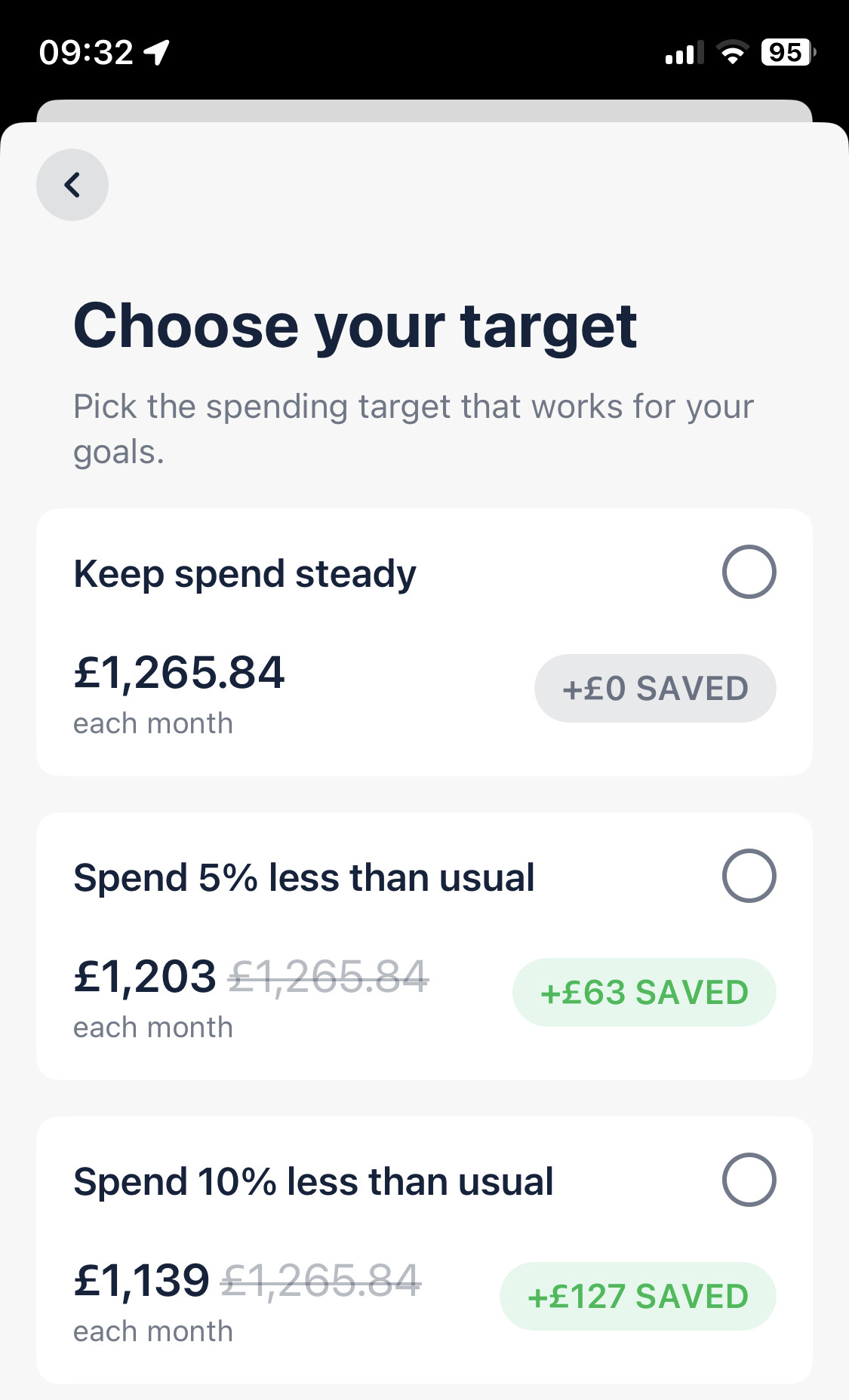
This means that my left to spend shows that I’ve run out of money which I would rather it showed then an imaginary amount of money I don’t actually have.
But what about the left to spend
I now realise that this doesn’t have any sort of logic to it from the other data in trends, as far as I can see. What it seems to do is take the target, minus your spend and tell you what you have left. But as detailed above, this number isn’t real.
For me I would expect the target line to show what the target is, less your actual balance so that what you can see left it what you actually have. I’m sure that’s how summary currently works (in that it says you’ll go over your target and the left to spend figure reduces)
I understand the logic now, in that it’s going off ideal lines to coach the user into spending on a certain track, but I think it’s a little too clever. For me at least.
Summary
In my use case (and I appreciate others will be different!) the average spend line was throwing the target out of alignment, and I had no option but to manually adjust for it to be anything like right.
3 Likes
The bit that confuses me in this then - and this is where my YNABy mentallity may be shining through - is if I am ignoring my bills for the purpose of my balance tracking, then how do I know I’m going to have enough money to actually pay my bills?
My Discretionary Spending has a direct correlation to my Bills and Savings. As in I don’t have any discretionary spending until I’ve accounted for my Bills.
I can see a few scenarios where this system could catch me out;
e.g.
- I get paid multiple times through the month; my Burn Rate graph shows that I still have money to spend, so I go out for a night out and spend (up to) the line. I now don’t have enough money for the bill coming out in 2 days time, but I will in 7 days time when I get paid.
- I’ve had a big expense early in the month, so it takes a while for the graph to equalise to normal - I can’t really trust that the graph is accurate until well into the month.
- I get paid on the 25th but my Trends/Budget starts on the 1st. Does the mid month money manifestation negatively affect the budgeting? i.e. I could end up with Zero Money before pay day following this system?
I guess the other factor that comes up is the concept of a Bill vs Discretionary Spending. Based on how Monzo has auto categorised stuff, I have a lot of stuff in that “Bills” category, that you could consider discretionary, such as my monthly donation to the RSPCA. It’s kind of assuming that all things set as Bills are ‘locked’ in, which I would imagine isn’t going to be the case.
Similar to @Peter_G I assumed it would work with Bills, so I turned the bills category on; but I see it makes less sense now.
But I can also see there are some probable ‘best practices’, for lack of a better phrase, to consider about your account when using it - and it might be good to do a bit of sign posting as to what a “good” use case looks like for people using this feature.
4 Likes
Just to add to the my other post.
It would be great here If you could just edit the figure, rather than having to click through the graph, see wrong options and then manually set it.

Also, I realise now that the “left to spend” works the same way summary did and it’s also the reason I turned it off in labs in the first place. Because it was too clever for it’s own good often as not. In that it could only work on what the balance was at any moment in time, how much time was left and what the left to spend averaged out was.
Here’s what I was expecting it to do
- My Target for the month is £1199.99
- To date I have spent £1163.09
- That means I have £36.90 left to spend
- Trends thinks I have £5.74 left because it’s taken into account what I have spent, how long is left and what it thinks I should have left. Luckily that’s a lot lower than what my actual balance is, but in other cases this could cause me to overspend.
All in all, target is really useful BUT it has the same problem that summary had for me, in that the “left to spend” was a totally made up number based on logic. The main usefulness of it was to see per category spend vs the budget (Ah ok I’m spending a Lot on eating out this month, better order less caviar) rather than the “left to spend” figure which I have never got to be actually what I have left to spend.
My personal hope with the merging of trends and summary was that you would have your balance line (which is great), the spend graph (also great) and budgets per category below.
1 Like
I think part of the difficulty that Monzo have is that we all want to do it in different ways, but there isn’t the flexibility to have it as we wish because you have to exclude certain categories. Ideally I’d want it the net of everything that comes in or out of my account.
I want to earn £3k, spend £2k, save £1k. Whether that £2k is bills, fuel or McDonalds, I’m not really bothered. But some people are.
Currently I can’t do this as the money I move to the joint account is not included, so I ignore that and reset the target to £500. (£1500 moved)
I’ll see how this works for me, but so far, so good. I don’t really mind which way, as long as it’s consistent.
My biggest “please bring me joy” would be for the target to fix to that period. I’ve set this month lower than last, but that means when I scroll back, I was further out. In the same way as salary sorter really, “This is what you did/spent last month. You set this target, you did this. Would you like it the same again? or tweak it?” and then it remembers that.
5 Likes
Totally agree with this.
My ideal solution would be to have the graph from the Balance tab but with the category breakdowns from the Targets tab (each with their own target/budget).
The overall target/budget would be determined by however much I’ve left in my main balance after siphoning off money to my bills and savings pots at the start of the budgeting period.
2 Likes
And I think that part of it is what just requires a bit more upfront clarity on some of the mechanics of the features . Or at least a raft of guides that explain the logic behind the creators thinking for how and why it’s intended to work.
It’s totally cool that it’s not for everyone, but I feel like it could have more 'splaining done beyond three or four pages of splash screenage. (Hopefully in time)
Budgeting is hard right, because there are sooo many ways people might want to do it, and soo many variables and edge cases that affect how it works. So I think some of that splaining could be helpful to help users find out if it’s for them or not.
3 Likes
I have found targets most useful as a means to track food spending (eating out plus groceries). All other categories are either so consistent that it makes no sense to track (bills) or they are so sporadic that tracking against a straight trend line makes no sense. My food spend is basically daily and relatively consistent so this lets me know if I’m overspending on my lunches or weekly shops.
For example this is what my food spend trend typically looks like on a good month:

3 Likes
Honestly it is really good - if it could have some sort of logic to work out what your target should be minus what your balance actually it could be great.
That totally false left to spend figure just doesn’t tally in my head so I struggle with it. I find myself having to then go to the balance tab to see what it actuslly is.
At least on the old way you could have your actual balance and then below how you were doing with your budget so you could see what was really left to spend
2 Likes